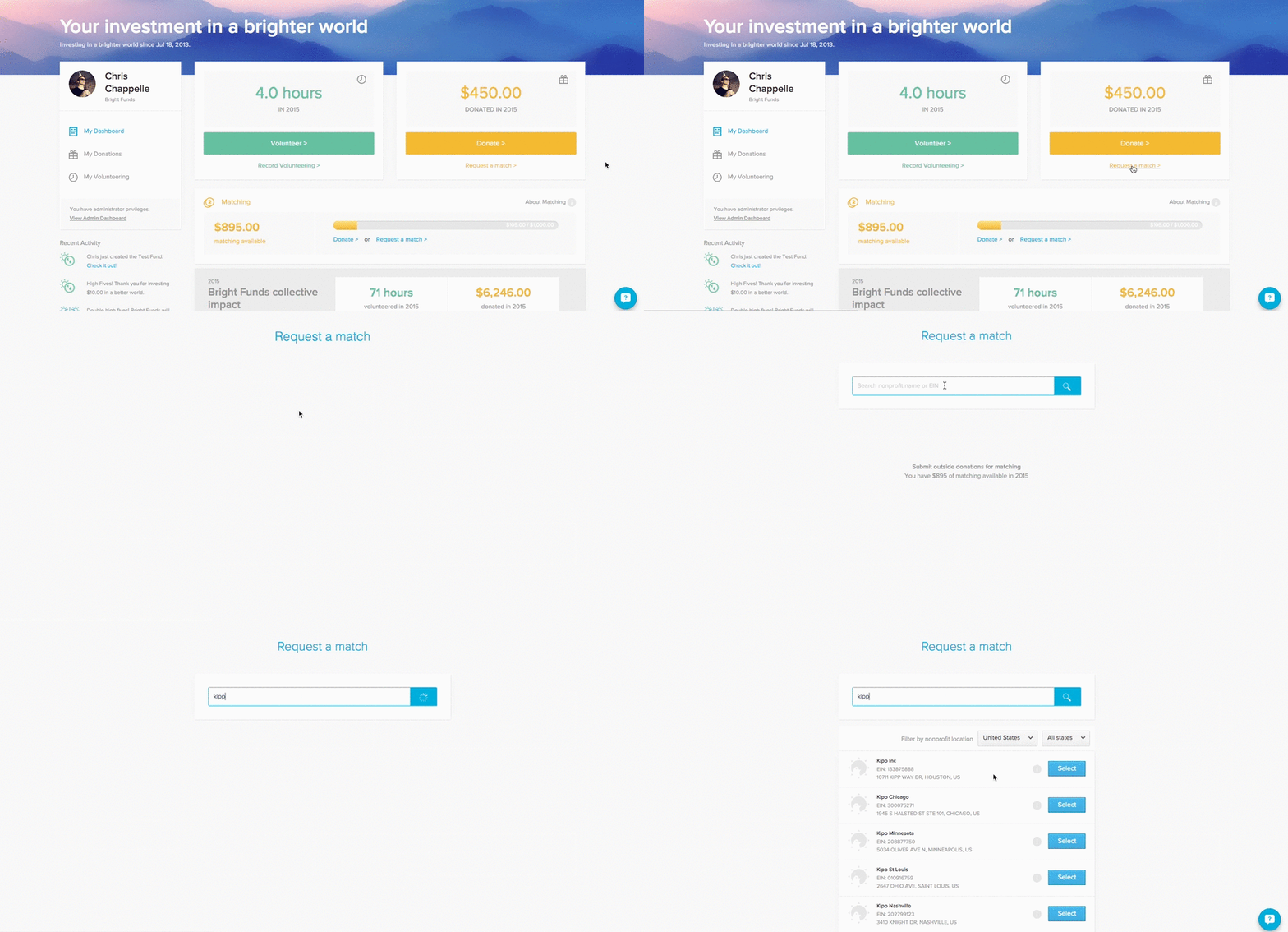
Requesting a match for a donation made outside of Bright Funds
In order to request a match, you must be an employee of a company that offers donation matching
If you’ve made a donation outside of Bright Funds, you can upload a receipt and request a match.
- Log in to your Bright Funds account.
- Click ‘Request a match’ from your homepage.
- Search for and select the nonprofit in which you donated to.
- Enter in the donation details including date and amount.
- Upload a receipt of the donation. The receipt must include your name, the name of the charity, the date, and the donation amount.
- Make sure the checkbox ‘Submit my gift for matching’ is selected.
- Include a designation if applicable and select your privacy setting.
- Click ‘Record donation.’